Tuesday, November 29, 2011

Alien Transformation

Create your alien!
1. First open a new file. Change the background settings to transparent.
2. Open up a picture (preferably close-up, if not you can use the crop tool).
3. Use the eraser tool and erase the eyes.
4. Use the clone stamp to clone parts of the cheek onto the nose. (It should look like there is not a nose). Do this by pressing (Alt+click).
5. Remove any unnatural looking areas of the nose, by the use of the healing spot brush.
6. Go to filter and use the liquify tool.
7. Use the forward warp tool and stretch the empty space where the eyes should be. (Make them long & oval, like an alien)
8. The website provides a source for alien eyes that you can use, download & save to computer
9. After downloading the eye, post the picture twice onto a new layer.
10. Move this layer behind the original. Scale the eyes by using the transform tool. Also use the liquify tool to stretch the eyes out like aliens.
11. You can use the burn tool around the eyes for a more realistic look if preferred.
12. Now use the filter, liquify, forward warp tool again to stretch the ears out. Make them look long & skinny.

Time to begin turning your alien green!
1. Go to color balance and change Shadows to 0,20,0 Midtones 0,20,0 and highlights to 0,40,0.
2. The website once again provides a grunge brush you can use , download & save to computer
source file.
3. Create a new layer and post the grunge brush over the entire face by using the transform tool.
4. Set the blending mode of this layer to color burn & change the opacity to around 30%.
5. Now use the rectangular marquee tool, select the forehead and duplicate it (ctrl+j).
6. Use the free transform tool & drag the box of the forehead to stretch it out like an aliens.
7. Merge the layers be pressing control then selecting the layers, right click, then merge.
8. Now you have an alien!


Tuesday, November 22, 2011

Bumblebee Advertisement

I created this advertisement by using Photoshop and its many tools. I used the drop shadow tool to increase the depth of the text. This tool draws importance to the text. For example in the title I used the inner shadow and outer glow tool because the title is the most important part of the advertisement. I used the opacity tool to decrease "contact katelynn alvey" because that is not the most important part of the advertisement. I used the leaf brush tool because it fit the whole nature theme of the advertisement. It also helped make the quality of the advertisent look better. For the title I used the flag tool. The flag tool gives the text the cool flowing look. For the text below the bumblebee photo I used the arc and crisp tool. The crisp tool gives a cool effect to the text and the arch tool draws attention to the words. I also used the color scheme tool to get similar colors that match good together. Last but not least, I used the picture tool. I used this tool so I was able to have the bumblebee image on my advertisement.

Thursday, November 10, 2011

Environment Club Logo

This is the logo I created for the schools environment club. This logo communicates the purpose of the environment club by using the pictures of the trees and the symbol for recycling. The clubs main focus is to keep the earth clean and to prevent global warming. These ideas all being expressed throughout the logo.

After reviewing the color wheel, I choose warm colors to use for the creation of this logo. These colors appeal to the eyes. The colors also reflect the earth-like feel that the club represents. The color yellow sends off messages of optimism, enlightenment, and happiness. The color green sends off tranquil and refreshing vibes. The color red is known to draw attention. All of the colors were used for a particular reason; to attract the eye.

I used several elements to improve the appearance of this logo. I used the drop shadow tool to bring more attention to the text. I also used the outer glow tool on the text to make the words stand out. I made the text the focal point. I did this because in this case, the clubs name is the most important piece of the logo. I also used the drop shadow tool on the trees to give them dimension and depth.

Tuesday, October 25, 2011

My Magazine Cover

Before
My overall before and after transformation was drastic. I definitely agree that Photoshop can make a person look so much different. In my case I feel like my face changed a lot and it definitely looks like a a completely new person. My opinion on magazine ads have completely changed since I learned about the tools of Photoshop.

I catch myself staring into the backgrounds of pictures on magazine ads purposefully trying to find a Photoshop flaw. I've learned all the tricks and tweeks photo editers use to make a normal looking celebrity look amazing. So I always try to find a mistake since I know how easy it is to make one with Photoshop.

I feel like the perspective on beauty and body image in today's society is ridiculous. Society puts extreme pressure on girls to be beautiful and if your not up to societies standards they make you feel unaccepted. It's a pretty sad situation. After knowing why the celebrities look so gorgeous in magazine ads, it makes me feel better because I know their beauty is not real, its "Photoshopped."

By using Photoshop to edit my photo, I learned how to fix every flaw. I think I did great on getting the skin tone to match. As you can see, In my edited picture the skin tones blend perfectly. I also believe I did a good job using the face crop tool to match the face to the body correctly. In my edited photo the facial placements look normal. This is because I used Photoshop correctly. I feel like I needed more time to improve on the make-up tools. I don't think I used the make-up tools to the maximum capability. If I could improve on another aspect of Photoshop I would focus on improving my skills of changing the hair color. I would love to be able to use this skill in editing my photos.

After

Monday, October 10, 2011

Improve Your Picture With Photoshop

The photo collage to the left that I created, represents several Photoshop techniques and elements that I have learned in class. In all of my pictures I use at least one of the element techniques, if not more. An example of a picture element is simplicity. A few examples of learned Photoshops techniques that I have learned are: blemish fix, posterize, spot healing brush, color adjustments, contrast/exposure, and the burn/dodge tool.

In my collage I edited the picture of the cross by using the posterize tool. The posterize tool gives the picture an oily effect and makes the photo look interesting. I used the element of simplicity when taking this picture so that the cross would be the main focus of the picture. The picture of the Mercy Creed was edited by using color adjustment tools. I would make certain hues more drastic looking by adjusting the levels/amounts of either red, blue, or green to give the photo a cool look. The picture of the Mercy student reading was edited by the use of the lasso tool. With the lasso tool you are able to select certain areas of the picture and change the different layers. In this case I selected the layer with the wall and changed the color to red. The picture of the key chain was edited by increasing the exposure and contrast. I did this to make certain colors of the key chain stand out. The picture of the lockers were edited by the use of the crop tool. There was an unnecessary folder on the ground so in order to bring more attention to the lockers, I cropped the folder out. I used the element of lines when taking this picture. When you pay attention to the lines when taking the picture it can add depth which improves the quality  tremendously. The picture that was taken looking out of the window was edited by the use of the burn tool. The clouds would not be there without the use of the burn tool. I used the burn tool to make a darkening effect on the sky.

As you can see, the use of Photoshop can increase the quality of a photo drastically. I never knew by simply editing your picture you can make the picture look so much different. I learned if you ever have a blemish, there is always the blemish tool. If my eyes are ever red, there is the red eye tool. With Photoshop you will almost always have a perfect picture.

Wednesday, September 21, 2011

Photography Tips

In class we learned several ways to improve your photo quality. In this blog I will explain a few simple ways to turn your average picture into a phenomenal one!


The photo to the left represents the element simplicity. Imagine the shoes in a room full of other items, you wouldn't pay attention to the shoes. There would be too many distractions from the focal point. Since the picture only displays the shoes, the attention is drawn to the shoes. It makes the picture simple. This is where the word "simplicity" comes from.
The photo to the left represents the element angle. This technique changes the entire look of the object. In this case, angle was used by taking the picture of the statue from above. The angle in which you take the photo can make the picture look completely different. It can make it so much more interesting. By using angle it adds much more depth to the picture. Angle makes things closer to the camera look much bigger than things that are farther from the camera. This makes angle important when you want to enhance the importance of your desired focal point.


  Last but not least, the photo to the left represents the element lines. By using diagonal lines rather than straight, it adds much more detail and depth to your photo. Where the carpet and lockers meet you can see what I'm talking about. The diagonal line makes the picture look like it goes on and on. This improves the picture drastically! Imagine if it was just a plain straight on picture of the lockers. It would be much more boring! This is a perfect example on how lines are very important with picture taking.

Tuesday, September 13, 2011

Piracy podcasting

While pod casting, our group used Garageband. Garageband gave us the tools that were necessary to create our podcast. It provided us with a variety of jingles and music to choose from. We were able to use these features legally because when you purchase Garageband your also purchasing the right to use the features (music.. etc). We used the website Picnik to edit the picture that we took for our album cover of our podcast. We abide by all of the copyright laws because obviously that's what the podcast is about. We now know the consequences of copyright infringement and try to do everything possible to avoid it.

Before I learned about copyright infringement, I thought that downloading music illegally online was no big deal. After finding out how artists felt about it, my opinion completely changed. I definitely agree with the statement that downloading music illegally is wrong. It is stealing! Copyright laws should exist because if they didn't, people would never purchase music. People would constantly download without paying for the music and artists wouldn't make any money.

Copyright infringement is very prevalent in the society today because many people don't know about the laws. Copyright infringement and the consequences need to be greater publicized! Another reason why copyright infringement is prevalent is because so many people get away with it everyday. There needs to be harsher punishments so that copyright infringement gets put to an end. If someone was to use my podcast or graphic without my permission, I would be very upset! That is someone getting credit for all my hard work. Click here to listen to our podcast!

Wednesday, August 31, 2011

Before & After, Copyright laws

My opinion on copyright laws have definitely changed just after a few classes! After learning the real definition of copyright infringement, I realized my first impression of copyrighting was very incorrect. In class we have studied several different cases in which people have stolen others work. At first, I did not think it was a big deal. For example, I thought that the artist of a song wouldn't care if someone downloaded their music for free on the Internet.Well, I thought wrong.

In class we looked at a website where several different artists wrote their opinion on copyright infringement and every single person was 100% against it. I never knew that by downloading illegal music on the Internet, not only does it not pay the artist, but it doesn't pay any of the people that helped produce the music/album! The artist might be rich, but the people who help aren't. So basically, when you download free illegal music it's like the people who helped with the album aren't getting paid! How would you like to devote hundreds of hours at work and not get paid?

There are ways to get around copyright infringement. This is called fair use. Anyone can access public domain or documents over 75 years old without it being considered plagiarising. Facts and common knowledge are also free to the public to use. You just have to be smart about what you do! Copyright infringement is easy to get around if you use your resources the right way.

After researching a few copyright infringement cases, I found one that fits the topic well. In 1966 the Isley Brothers recorded and released a song called, "Love is a Wonderful Thing". In 1991, Michael Bolton released a song with the same name, and several of the same lyrics. Hmm.. what does this sound like? Copyright Infringement! The Isley Brothers filed a suit on Michael Bolton for stealing their music, and they won. Michael Bolton had to pay the group 5.4 million dollars. Michael should have thought before he broke the law by plagiarizing. I think the punishment was fair. Michael Bolton was making tons of money off of The Isley Brothers hard work! Hopefully this case stops people in the future from plagiarizing.


Wednesday, August 17, 2011

Technology Autobiography

Technology is such a broad topic, so many areas of discussion! In this post I will talk about my own experiences with technology and about my beliefs of what technology will be like in the future.
First of all, technology has grown tremendously! Do you remember back when laptops didn't exist? When cellphones were very rare to have? When a touch-screen had never even been thought of? I sure do, and I've only been on this planet for a short 16 years. Technology has advanced rapidly in just that short amount of time! Can you imagine what its going to be like 40 years from now?
I have no doubt why technology advances so quickly, our world today relies on technology for daily tasks. Many businesses couldn't function without their software,computers,etc.. Technology has become a priority. From past experiences, I've learned that technology is VERY helpful. I think anyone would agree with me when I say it's so much easier to just log on google and ask a question then to look it up in a book (I do it all the time). Technology is used daily throughout schools in America so that tells you right there how important technology is if its brought into the education system. I've already learned several new things from my very own technology/computer class back at school. So that's a definite fact of the infinite learning possibilities with technology.
Even though technology's positives over weigh the bad, it also has its negative effects. I, myself have experienced this myself. Technology tends to lessen your social skills and also causes many social problems. For example, online cyber bullying. That problem never existed before computers & cellphones were brought into the picture. There are many positives and negatives with technology, I think everyone would agree with this!
<><><><><><><>
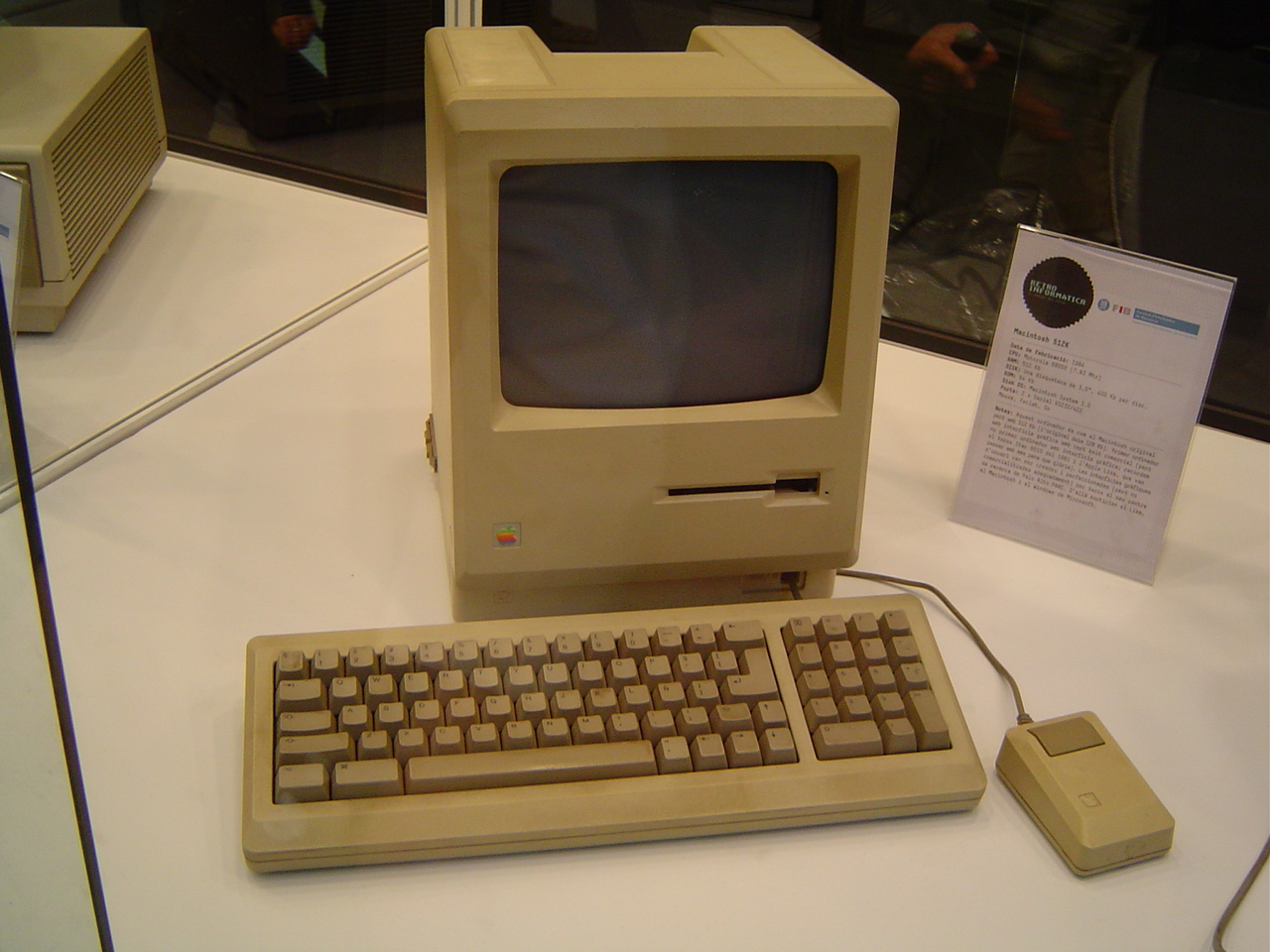
One of the first computers
"http://upload.wikimedia.org/wikipedia/commons/3/31/Old_computer_2.jpg"